
Of all the best apps to learn English in 2026, Praktika is the best overall choice for most learners. We combine spoken English conversations with human-like AI tutors, instant corrections on pronunciation, grammar and word choice, and explanations in your native language while you find your feet.
Praktika fits people who need English for daily life soon, like someone who moved to the US from Brazil last year and still speaks at a basic level. It also suits beginners who practice on a commute, newcomers handling phone calls and paperwork, and professionals preparing for interviews or meetings in English. Sessions average 12 minutes, which makes a daily habit easier to keep past the first month.
The rest of the list covers the other main ways to learn English on your phone: gamified lessons, grammar-led courses, pronunciation coaching, live lessons with native speakers, English-only AI coaches and picture-based immersion. Each review explains who the app suits and where it falls short.
This comparison is based on factual App Store and Google Play reviews and a detailed analysis of each app in November 2026.
Best Apps to Learn English at a Glance
This table puts the 10 best apps to learn English side by side. Use it to shortlist two or three, then read the full reviews below.
| Tool | Best For | Key Features | Pros | Cons |
|---|---|---|---|---|
| Praktika | Speaking confidence with an AI tutor | AI tutors with memory, instant corrections, native-language explanations, American and Scottish accents | Real conversation from day one; tutors that remember you | No certificates; mobile apps only for now |
| Duolingo | A first daily habit | Bite-sized lessons, streaks and leagues, AI video calls on its top tier | Free core course; highly motivating | Trains recognition more than speaking; little grammar |
| Babbel | Grammar-led lessons | Expert-built lessons tailored to your native language, dialogues, podcasts | Clear explanations; self-paced | Speech recognition issues; one free lesson |
| ELSA Speak | Pronunciation and accent | Sound-level scoring, AI conversation coach, professional coaches, IELTS speech analysis | Detailed pronunciation feedback; work scenarios | Billing complaints; scoring can feel lenient |
| Speak | Guided speaking lessons | Speaking lessons, AI roleplays, instant feedback, AI tutor | Speaking-first; short lessons | Uneven speech recognition; content thins at advanced levels |
| Busuu | Native-speaker corrections | Community feedback, study plan, real-speaker videos, AI Conversations on Premium Plus | Human corrections; grammar in context | Ads in the free version; limited AI conversation |
| Cambly | Live lessons with native speakers | One-to-one video lessons, goal-based topics, recorded lessons | Real human conversation; flexible times | High cost per lesson; scheduling needed |
| Loora | English-only AI conversation | AI English coach, role-plays, Read and Talk lessons, fluency feedback | Natural conversation flow; patient corrections | Short trial; some lessons feel basic |
| Memrise | Listening and everyday vocabulary | Native-speaker videos, goal tracks, AI chatbot, exam feedback | Real accents; goal-based learning | Paywalled grammar; redesign complaints |
| Rosetta Stone | Picture-based immersion | No-translation lessons, pronunciation checks, offline mode | Full immersion; calm and ad-free | No grammar explanations; hard start for beginners |
If speaking is your priority, start with Praktika, Speak and Loora. Add ELSA Speak for accent work, and look at Cambly if you want a person on the other side of the call.
Why Learn English With an App?
English is the language of the job interview, the call with your bank and the chat with a neighbor, and none of those wait for a weekly class. An app lets you practice in the gaps of the day, including the commute that is often the only free time a newcomer has.
Apps have also changed fast. Most of the best apps for learning English now listen to you speak and respond, which turns your phone into a practice partner for the early train. Our wider roundup of the best language learning apps tracks the same shift across every language.
What English Apps Do Well
Good English apps make daily practice easy to start and easy to repeat. A 10-minute session on the bus adds up faster than a class you keep postponing. Reminders and streaks bring you back the next day.
They also give beginners a safe place to make mistakes. You can repeat a sentence twenty times, ask what a word means and try again without an audience, which matters for anyone who feels shy speaking English in public.
Where Most English Apps Fall Short
Many apps teach you to recognize English without getting you to say it. Tapping answers and matching pairs builds vocabulary, but a call to a pharmacy asks you to build sentences out loud, quickly, while someone waits.
That gap explains why so many learners follow English on TV and still freeze when a coworker asks a question. Speaking exercises in traditional apps are short, and feedback on how you sound is often a simple pass or fail.
Beginners face one more obstacle. Apps that run entirely in English from the first minute can lose learners who still need explanations in Portuguese, Spanish or whatever language they think in.
Best App to Learn English Overall
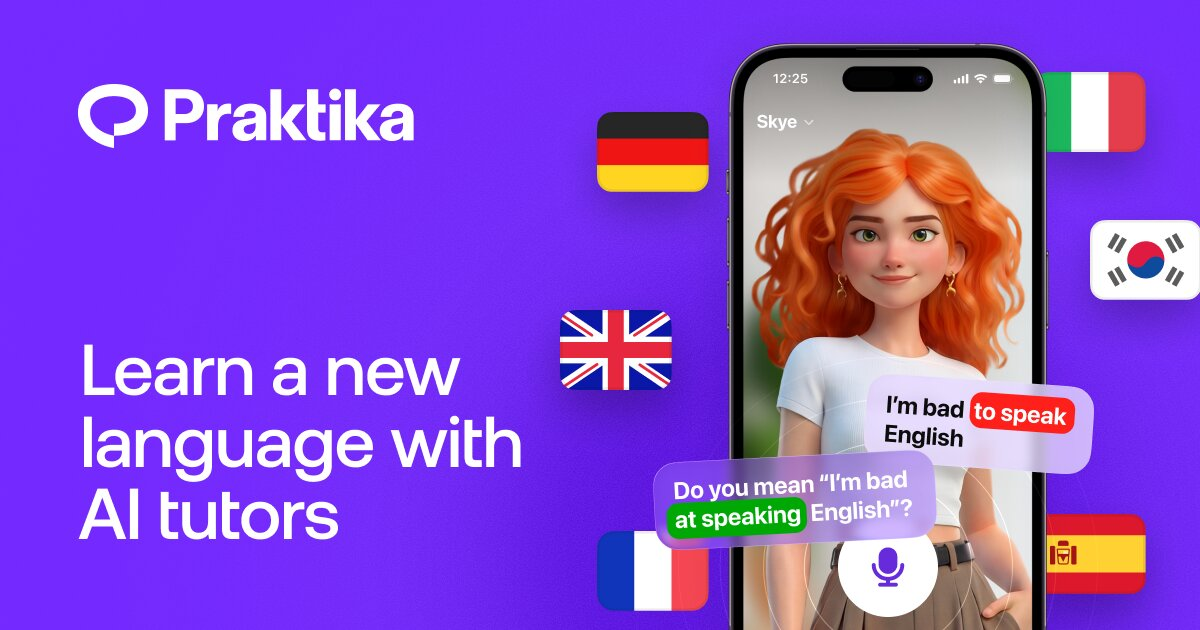
Praktika is the best app to learn English overall. It's built around speaking out loud with confidence, the skill newcomers need first for calls, interviews and small talk.
Every session is a spoken conversation with a human-like AI tutor who remembers your goals, your mistakes and the words you've learned. The tutor corrects pronunciation, grammar and word choice as you talk, shows a better way to say it and explains why, so the conversation keeps moving.
Beginners start with explanations in their native language, and the tutor switches to English step by step as they improve. You can pick an American accent with Tama or a Scottish one with Skye, then set your feedback style and speaking speed. The page to learn English with an AI tutor shows how the course works from your first lesson.
Results show up in what learners say. On average, 73% of active learners gain a full CEFR level in about 20 hours of practice, and more than 30 million people have learned with Praktika.
Best Apps to Learn English: In-Depth Review & Comparison
Below, we review each of the 10 apps in detail, from who it suits to what users say about it in the app stores.
The order reflects how well each app helps a beginner start speaking English and keep practicing past the first month.
1. Praktika
Overview
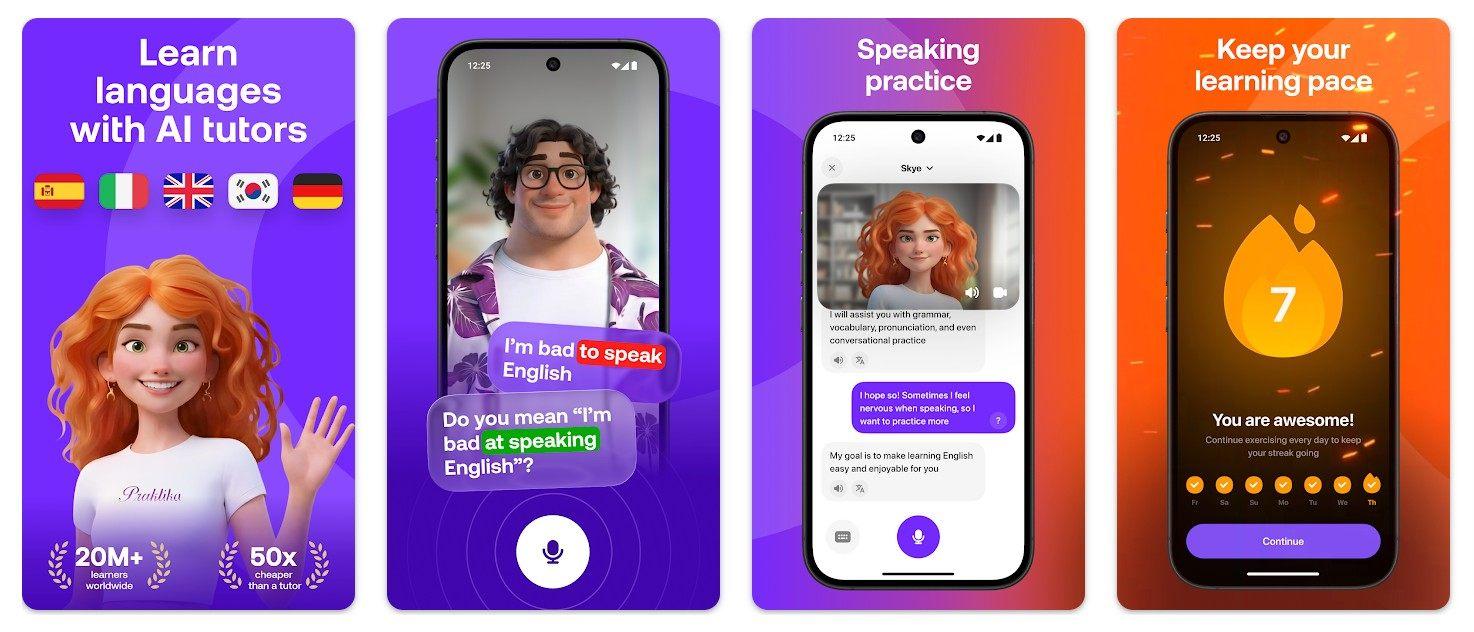
Praktika is an AI tutor app built to get you speaking English, and 13 other languages, out loud. You hold spoken conversations with human-like AI tutors who remember your goals, mistakes and context over time. They correct you as you talk and explain in your native language when you need it.
Many English learners arrive with some school English or a few words picked up at work, then freeze when it's their turn to talk. Praktika gives them a patient tutor they can practice with every day without booking a lesson.
More than 30 million people have learned with Praktika, with around 2 million monthly active learners in 200+ countries and territories. OpenAI featured Praktika as a case study in January 2026.
Ideal For
Praktika is the strongest pick for learners who want to use English in real conversations soon. It fits these groups best:
- Newcomers to the US, UK or Canada handling phone calls, paperwork, doctor's visits and small talk
- Beginners who want explanations in Portuguese, Spanish or another native language while they learn to speak
- Commuters who can spare 10 to 15 minutes on a bus or train
- Job seekers and professionals rehearsing interviews, meetings and client calls
- IELTS and TOEFL candidates who want to practice the speaking section out loud
If you've ever planned a sentence in your head and lost it the moment someone looked at you, Praktika was built for that moment.
Top Features
Every Praktika feature aims at more speaking time and better feedback.
- AI tutors with memory: Tama (American English) and Skye (Scottish English) have their own personalities and accents, and they remember your progress from one session to the next, so practice builds on what you already know.
- Instant, gentle corrections: Pronunciation, grammar and word choice are corrected as you speak, with a better phrasing and a short explanation, so each slip turns into progress during the conversation.
- Native-language support: The tutor starts in your language and moves to English gradually, so a complete beginner can follow from the first lesson.
- Real-life practice: The Practice tab has ready-made scenarios such as ordering at a restaurant, and you can upload your resume to rehearse interview questions built from it.
- 1,000+ lessons: Courses cover travel, careers, slang and academic English, including IELTS and TOEFL prep.
You can also photograph a sign or a document and practice the words in it. Video-call mode adds face-to-face sessions with your tutor.
Why We're the Best App to Learn English
Praktika trains the part of English that beginners find hardest: speaking out loud. You produce full sentences from your first session, and every one of them gets feedback. That's how learners move from understanding English to using it at the pharmacy, the office or a parent-teacher meeting.
Its tutors also remember you. Your goals, past mistakes and vocabulary carry over, every session is scored, and your progress maps to CEFR levels from A1 upward.
Praktika fits a commuter's day as well. Sessions average 12 minutes, and 73% of active learners gain a full CEFR level in about 20 hours of practice, on average.
English is often the first step, and the same app teaches 13 more languages. Our guides to the best Spanish learning app, the best app to learn French and the best app to learn Japanese compare the options if another language is next on your list.
Pros
Praktika's strengths all point toward speaking English with confidence.
- Spoken English conversations from your first session
- Real-time corrections on pronunciation, grammar and word choice
- Tutors that remember your goals, mistakes and vocabulary
- A choice of accents, feedback styles (Soft, Balanced or Strict) and speaking speeds
- Explanations in your native language for beginners
Together, they make Praktika feel close to a private English tutor in your pocket.
Cons
Praktika isn't the right fit for every learner. These are the situations where another option may suit you better:
- You need an official English certificate: Praktika tracks your CEFR level and includes IELTS and TOEFL prep lessons, but it doesn't issue certificates and isn't a certified exam pathway.
- You only study on a computer: Praktika runs on iPhone and Android today, and its web app is still in testing.
- You want a human teacher on the other side: Praktika's tutors are AI, so learners who want a person may prefer live lessons with a service like Cambly.
For most beginners whose goal is to speak English in daily life, none of these is a dealbreaker.
Customer Reviews
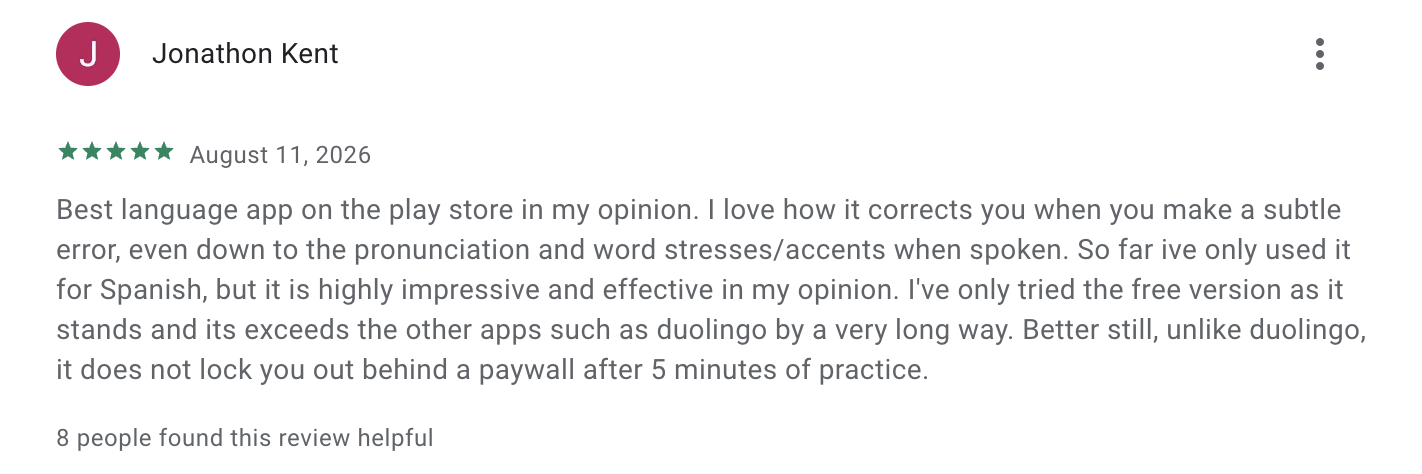
Praktika holds a 4.8-star average across more than 1.2 million ratings on the App Store and Google Play. Several reviewers say it's the first app that got them speaking after time on streak-based apps.
Users most often praise how lifelike the tutors and voices sound, how the app corrects grammar and suggests more natural English, and how it catches subtle pronunciation and word-stress mistakes. Others value practicing with no appointments or timetable, and one reviewer's native-speaker partner checked the app's corrections and was impressed.
Final Verdict
Praktika is the best app to learn English for anyone whose goal is to speak. It combines real conversation, instant feedback and a tutor that remembers you, in sessions short enough for a commute.
For a newcomer settling into life in the US, a job seeker preparing for interviews or a learner who studied for years and still freezes, it's the most direct path from knowing words to holding a conversation.
2. Duolingo
Overview
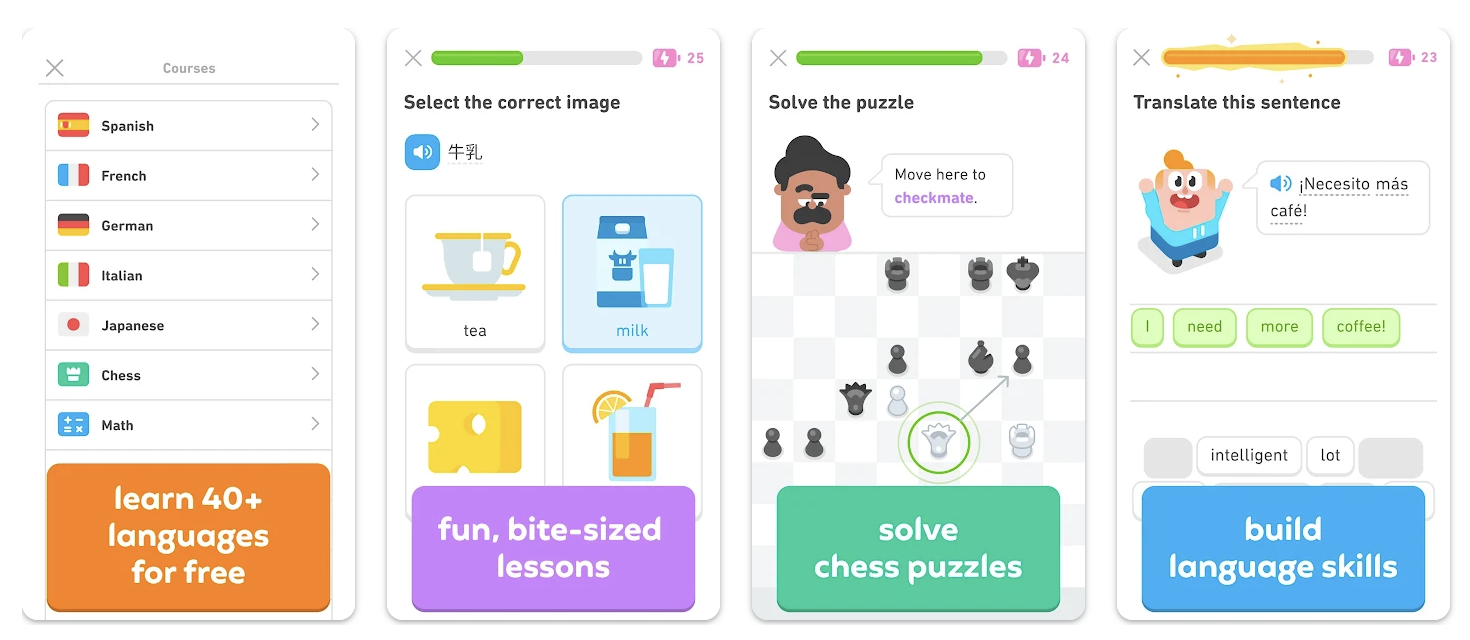
Duolingo is the most downloaded education app in the world and the best-known name in language learning. Founded in Pittsburgh in 2011, it turned study into a game of short lessons, points, streaks and leagues.
Its English course follows the same format as its 40+ other languages, and the app recently rolled out new and improved English lessons. Paid tiers remove ads and add extras, and the top tier includes AI video calls with the character Lily in select courses.
Its biggest strength is habit-building. Few apps are as good at getting people to open them every day.
Ideal For
Duolingo works best for learners who want an easy, low-pressure start with English.
- Complete beginners building a first vocabulary
- Learners who enjoy games, streaks and rewards
- Budget-conscious learners who want a free core course
- Families learning together, since the app also covers chess, math and music
It's less suited to learners who need to handle a phone call or an interview in English within a few months.
Top Features
Duolingo's features are designed around motivation.
- Bite-sized lessons: Short exercises across reading, listening, writing and speaking, so practice fits a short bus ride
- Streaks, XP and leagues: Game mechanics that reward you for coming back every day
- AI video calls: Short conversations with Lily on the top tier, in select courses
- Stories and practice hub: Extra reading and review that reinforce vocabulary
These tools make it easy to keep going on busy days, even when motivation dips.
Why It Stands Out
Duolingo stands out for reach and motivation. Its free core course and game design have introduced hundreds of millions of people to a new language.
It's also one of the smartest starting points for learners who aren't ready to commit. You can build a habit and a basic vocabulary before moving to a speaking-focused app.
Pros
Duolingo's strengths are accessibility and engagement.
- Free core English course
- Habit-forming streaks and rewards
- Short lessons that fit any schedule
- Steady addition of new vocabulary
For building a first daily habit, few apps compete with it.
Cons
Duolingo's weaknesses show up once you try to speak.
- Exercises train recognition more than spoken production
- Little explanation of grammar rules
- The energy system cuts practice short in the free version
- Speech recognition draws frequent complaints
Many learners keep long streaks and still struggle to hold a conversation in English.
Customer Reviews
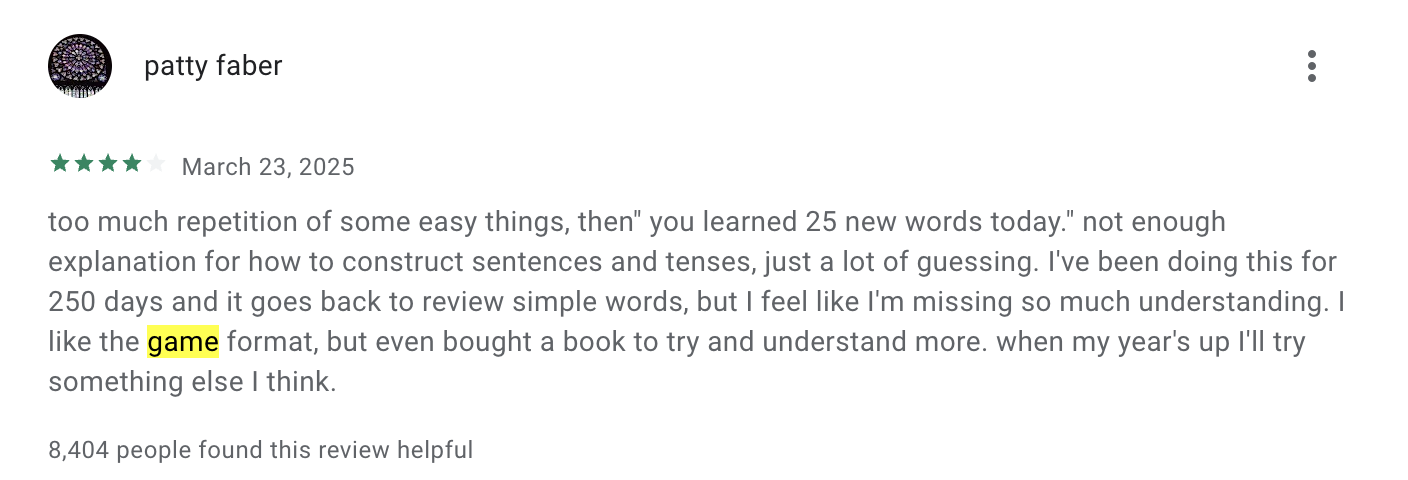
Duolingo holds 4.7 stars on the US App Store (5.5M ratings, Editors' Choice) and 4.8 stars on Google Play (51M reviews, 500M+ downloads). Users praise the habit-forming game design, steady vocabulary progress and how engaging it is for families.
Recent complaints focus on the energy system that limits practice, reward clutter after lessons, bugs, little grammar explanation and surprise charges after free trials.
Final Verdict
Duolingo is recommended for beginners and families who want a fun, free daily habit and a first English vocabulary. Its motivation tools are excellent.
It isn't built to make you a confident speaker, though. Learners who need English for calls, work or paperwork will progress faster with a conversation-first app alongside it.
3. Babbel
Overview
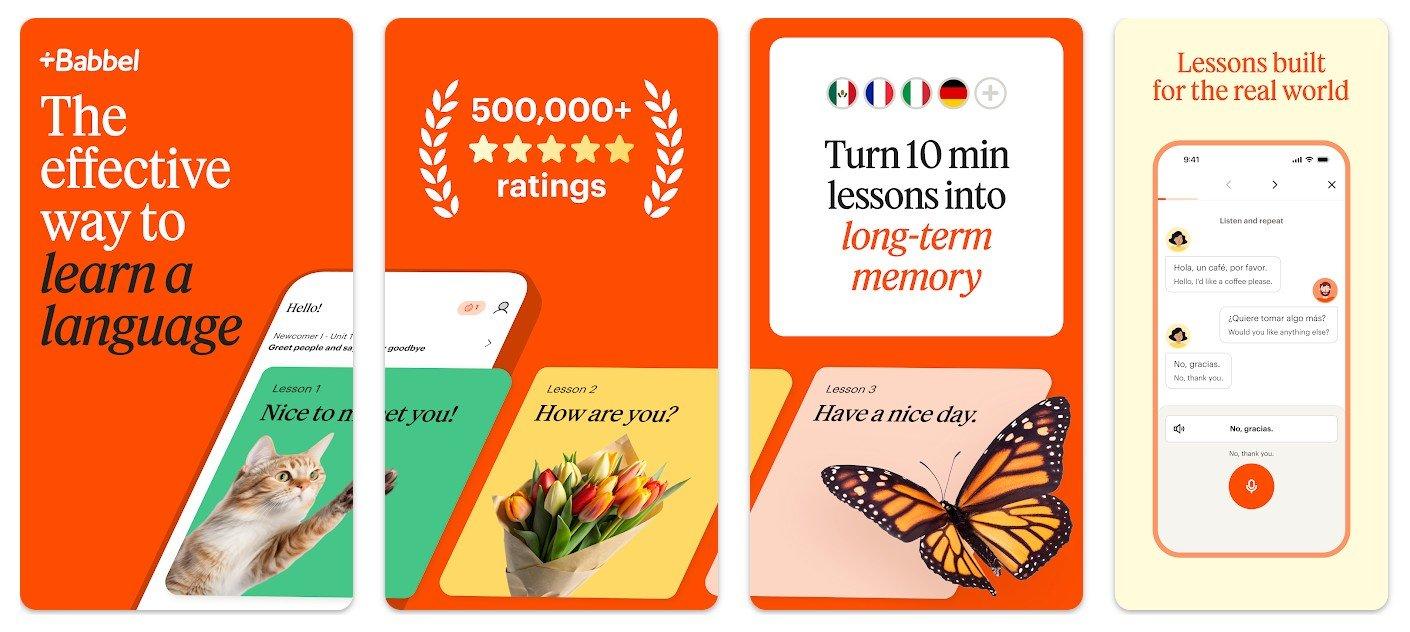
Babbel is a Berlin-based language app that teaches through structured, grammar-led courses. Lessons are built by more than 200 language experts and tailored to your native language, so the explanations target the mistakes you're most likely to make.
Babbel teaches 14 languages and offers English courses for speakers of several native languages. Lessons are short and built around real-life dialogues, while podcasts, flashcard-style review and writing lessons add depth.
It has a reputation as the serious adult's language app, with fewer games and more explanation. Babbel for Business offers plans for teams.
Ideal For
Babbel suits learners who like knowing the rules behind a sentence.
- Adults who want clear, structured grammar lessons
- Learners whose native language has a Babbel English course, so explanations match their mistakes
- Self-paced learners who like to choose their own path
- Learners who want podcasts and writing practice alongside lessons
It's a weaker fit for learners who mainly want to practice open conversation.
Top Features
Babbel's features focus on clear, practical lessons.
- Native-language tailoring: Lessons adapted to the language you already speak, so grammar points address your typical errors
- Dialogue-based lessons: Real situations from shopping to small talk
- Grammar tips: Short explanations built into each lesson
- Spaced review: Flashcard-style practice that helps words stick
- Podcasts: Listening practice you can play hands-free on a commute
Together they create a course-like structure inside an app.
Why It Stands Out
Babbel stands out for the quality of its explanations. Reviewers often say it explains far more than Duolingo, with lessons that build understanding through context.
It's also one of the smartest choices for learners who want flexibility. You can follow the guided path or study the topics you need in your own order.
Pros
Babbel's strengths are structure and clarity.
- Grammar explained clearly in context
- Lessons adapted to your native language
- Practical, real-life dialogues
- Extra formats such as podcasts and writing lessons
It's one of the most respected course-style apps available.
Cons
Babbel has weaknesses in speaking and depth.
- Speech recognition often marks correct answers as wrong
- Only one free lesson before subscribing
- Thin content at intermediate and advanced levels
- AI dialogue practice is limited to select languages, according to reviewers
It builds knowledge well, and spoken practice with feedback stays limited.
Customer Reviews
Babbel holds 4.7 stars on the US App Store (756K ratings) and 4.4 stars on Google Play (1.13M reviews, 50M+ downloads). Reviewers value its explanations, the no-games format, the self-paced structure, and its podcasts, flashcards and writing lessons.
The main complaints are about speech recognition, the early paywall and weaker content beyond beginner level.
Final Verdict
Babbel is recommended for adults who want grammar-first English lessons tailored to their native language. It turns short sessions into a clear picture of how English works.
Its speaking practice is limited and its speech recognition frustrates many users. Learners who mainly want to talk with confidence will need a conversation-focused app as well.
4. ELSA Speak
Overview
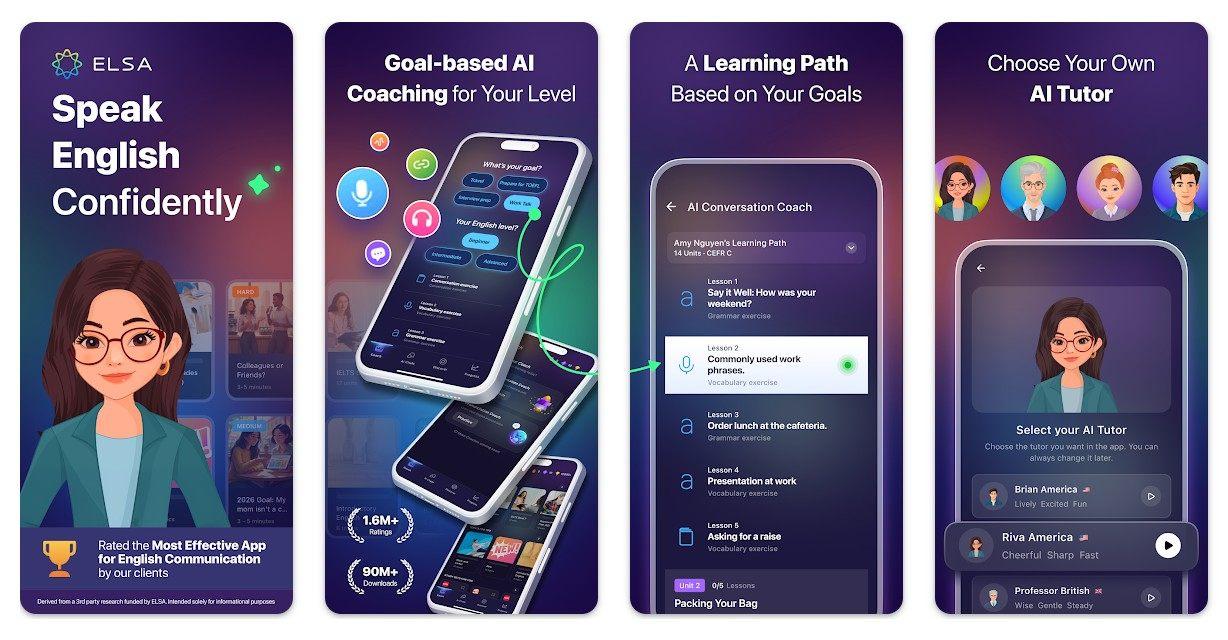
ELSA Speak is an AI English coach best known for pronunciation training. It listens to how you say each word and sound, scores your pronunciation and shows where to improve. ELSA describes itself as "your personal AI-powered English tutor."
The app teaches English only and offers 8,000+ lessons, interactive AI games and speaking scenarios for job interviews, presentations, meetings and exam prep. You can choose an AI tutor persona and track your proficiency by CEFR level.
Its ELSA Professional tier adds coaches for interviews, meetings, public speaking, presentations, sales and negotiation. Newer coaches cover business storytelling and leadership communication.
Ideal For
ELSA suits learners who care about how they sound in English.
- Learners working on accent and clear pronunciation
- IELTS candidates who want speech analysis and estimated scores
- Professionals preparing for presentations, meetings or sales calls
- Intermediate learners fine-tuning their spoken English
It's less focused on complete beginners who need explanations in their own language.
Top Features
ELSA's features center on speech analysis.
- Pronunciation scoring: Feedback on individual sounds, stress and intonation, so you know which sound to fix
- AI Conversation Coach: Goal-based speaking practice at your level
- Professional coaches: Interview, meeting, presentation, sales and negotiation practice on ELSA Professional
- Speech Analyzer for IELTS: Estimated scores to guide exam preparation
- Progress tracking: Proficiency mapped to CEFR levels
The pronunciation engine is the heart of the product.
Why It Stands Out
ELSA stands out for the depth of its pronunciation feedback. Few apps break down your speech sound by sound in this much detail.
Its professional coaches also make it one of the smarter options for English at work, especially for presentations and interviews.
Pros
ELSA's strengths are precision and focus.
- Detailed, sound-level pronunciation feedback
- AI conversation and professional coaching scenarios
- IELTS-focused speech analysis
- A large library of lessons
It's a strong tool for polishing how your English sounds.
Cons
ELSA has some recurring issues.
- Many complaints about billing, renewals and refunds
- Some users find pronunciation scoring too lenient
- Reviewers say the app has felt slower since AI features were added
- Feedback screens don't always show which sound belongs to which word
Open conversation also plays a smaller role than accuracy drills.
Customer Reviews
ELSA Speak holds 4.8 stars on the US App Store (114K ratings) and 4.5 stars on Google Play (1.01M reviews, 10M+ downloads). Users praise the pronunciation tools, practice across the four skills, AI speaking practice with voice analysis and IELTS score estimates.
The dominant complaints concern billing, such as paying for Premium without receiving access, along with slow support, slowness and doubts about scoring accuracy.
Final Verdict
ELSA Speak is recommended for learners who want to refine their English pronunciation or prepare for IELTS speaking. Its professional coaches add value for work.
Its billing complaints and lenient scoring are worth weighing, and it's less geared to complete beginners. Learners who want overall speaking confidence will likely need a conversation-first tutor alongside it.
5. Speak
Overview
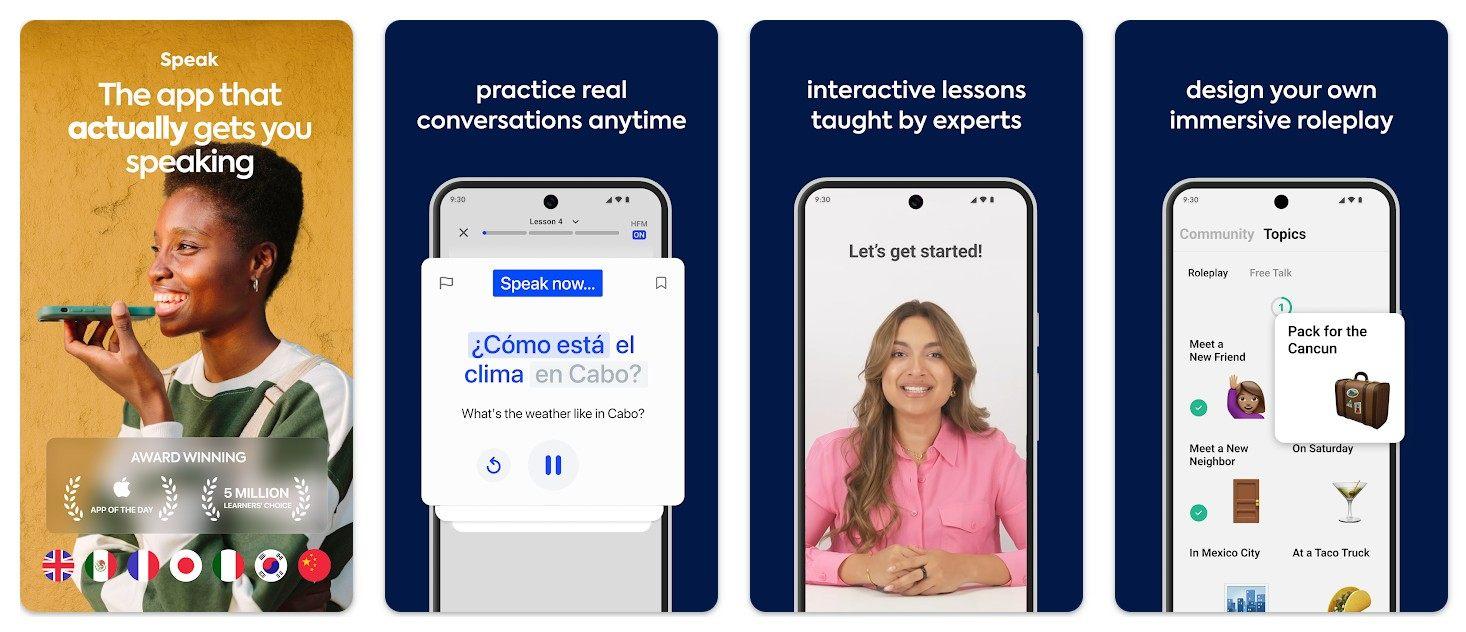
Speak is a speaking-first AI language app that started with English. Developed by Speakeasy Labs and backed by the OpenAI Startup Fund, it first became popular with Korean and Japanese learners of English.
Speak now teaches seven languages: English, Spanish, French, Italian, Japanese, Korean and Chinese. Lessons mix teacher videos, AI speaking drills, roleplays you design yourself and an AI tutor that answers questions.
Recent updates added adaptive lessons, clearer level tracking and audio-first roleplays meant to feel like real conversations.
Ideal For
Speak suits learners who want guided English speaking practice.
- Learners who like structured lessons with lots of speaking
- Busy learners who prefer five-minute lesson chunks
- Intermediate learners who want to skip ahead by level
- Korean and Japanese speakers, Speak's original audience
It's a weaker fit for advanced learners, who may run out of content.
Top Features
Speak's features are built to keep you talking.
- Speaking lessons: Most of each lesson is spent saying sentences out loud
- AI roleplays: Custom scenarios with an AI partner, including audio-first roleplays
- Instant feedback: Corrections right after each spoken answer
- AI tutor: Ask grammar or vocabulary questions mid-lesson
- Playback tools: Slow down audio and redo lessons until a phrase feels natural
These make Speak one of the more active English apps available.
Why It Stands Out
Speak stands out for putting speaking at the center of every lesson. Learners often report forming sentences with confidence within days.
Its roleplays and AI tutor add a feel of real conversation to a structured course. That mix makes it one of the strongest choices for learners who want guidance and speaking time together.
Pros
Speak's strengths are focus and feedback.
- Speaking-first lessons
- Instant feedback on spoken answers
- Custom AI roleplays
- An AI tutor for questions
- Short lessons that fit a commute
For English speaking drills, it offers plenty of practice time.
Cons
Speak has a few recurring limits.
- Speech recognition can be too strict for some users and too lenient for others
- Only one or two free lessons before subscribing
- Content can run out for advanced learners
- Some reviewers dislike its leagues
Learners who want a tutor that remembers their personal context may want more.
Customer Reviews
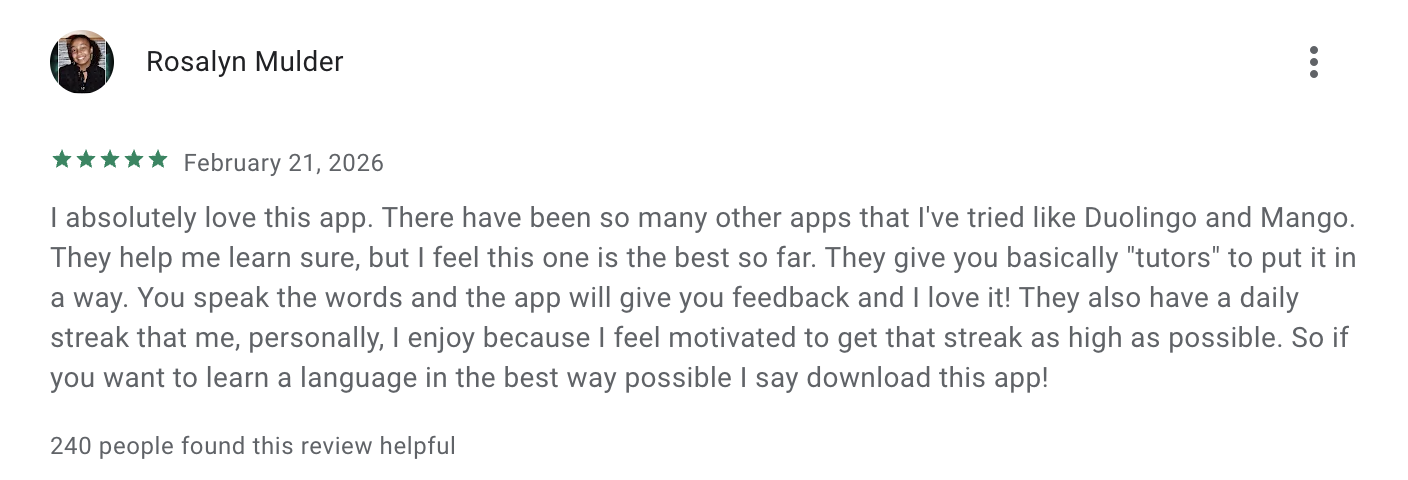
Speak holds 4.8 stars on the US App Store (64K ratings) and 4.7 stars on Google Play (125K reviews, 10M+ downloads). Users praise its detailed, instant feedback, its immersive roleplays and how quickly they start forming sentences.
The main complaints are the quick paywall, inconsistent speech recognition and advanced learners running out of content.
Final Verdict
Speak is recommended for learners who want structured English speaking lessons with fast feedback. Its roleplays keep practice active.
Its content thins at higher levels and its speech recognition is uneven. Learners who want open conversation with a tutor that remembers their personal goals will find a better fit elsewhere.
6. Busuu
Overview
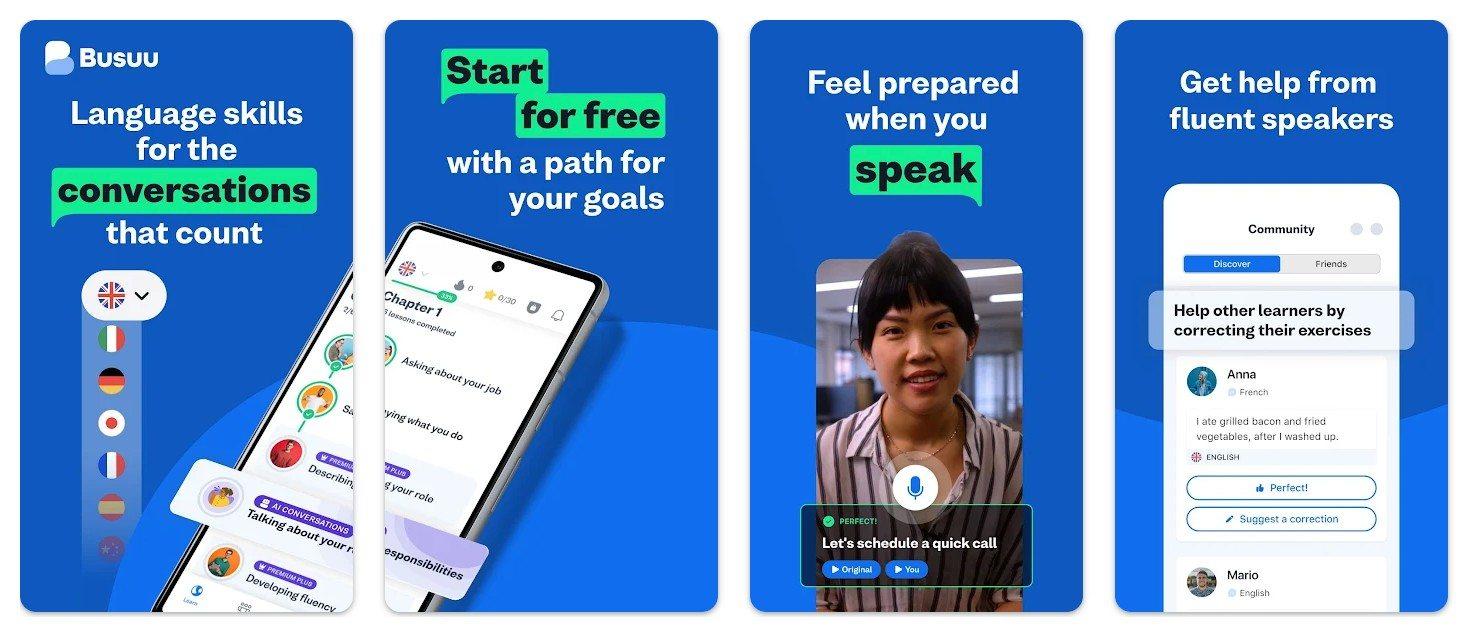
Busuu is a language app that combines expert-designed courses with feedback from a global community of native speakers. You complete exercises, fluent speakers correct your writing and pronunciation, and you help learners of your own language in return.
English is one of its 14 languages, alongside Portuguese, Spanish and others. Lessons include grammar explanations, cultural notes, videos of real speakers and regular checkpoints, and a newer adaptive study plan estimates when you'll reach your goal.
Busuu is a Chegg service. Its Premium Plus tier adds AI-powered Conversations in some languages.
Ideal For
Busuu fits learners who want human input on their progress.
- Learners who want native-speaker corrections without booking a tutor
- Beginners who need structure and clear checkpoints
- Grammar-minded learners who want explanations in context
- Learners who like giving back by correcting others in their own language
It's less suited to learners who want daily open conversation.
Top Features
Busuu's features balance self-study with real feedback.
- Community feedback: Native English speakers correct your exercises, so you learn how real people phrase things
- Grammar and culture: Explanations and cultural tips inside lessons
- Adaptive study plan: Goals, an estimated completion date and checkpoints
- Real-speaker videos: Watch how words are pronounced and how speakers move their mouths
- AI Conversations: Conversation practice on Premium Plus, in select languages
The community remains its signature feature.
Why It Stands Out
Busuu stands out because it brings real people into a self-study app. Corrections from native speakers add a layer of feedback few apps offer.
Reviewers also say its lessons go further on grammar and context than gamified apps. That makes it one of the smartest choices for beginners who want to understand why a sentence is right.
Pros
Busuu's strengths come from people and structure.
- Corrections from native speakers
- Grammar explanations and cultural notes
- An adaptive study plan with checkpoints
- Videos showing how native speakers pronounce words
It's one of the smartest ways to get human feedback inside an app.
Cons
Busuu has some limits, especially in the free version.
- Frequent ads in the free version
- Speech recognition glitches
- AI conversation limited to the top tier and some languages
- Community feedback takes time to arrive
Daily speaking practice isn't its strong point.
Customer Reviews
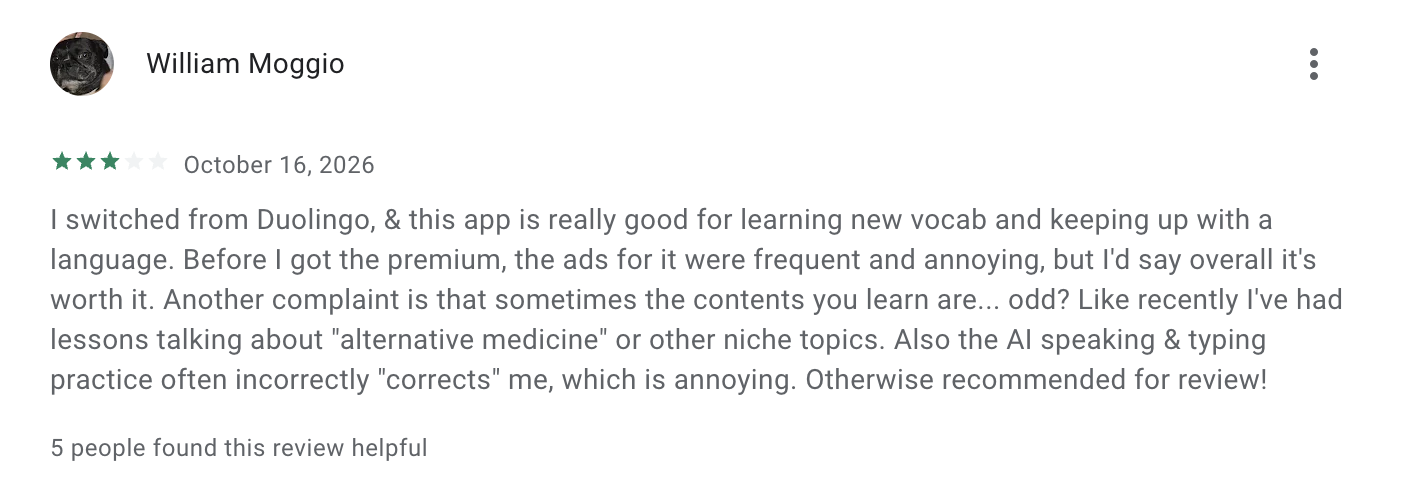
Busuu holds 4.7 stars on the US App Store (101K ratings), 4.8 stars on the Brazilian App Store (41K ratings, Editors' Choice) and 4.7 stars on Google Play (1.24M reviews, 50M+ downloads). Users praise the community corrections, the grammar detail, the cultural notes and the real-speaker videos.
The most frequent complaints are about ads in the free version, speech recognition problems, pricing tactics and limited AI conversation for some languages.
Final Verdict
Busuu is recommended for beginners who want a structured English course plus corrections from native speakers. Its checkpoints make progress easy to follow.
The free version's ads and the limited spoken practice hold it back. Learners who need to speak English with confidence soon will need more conversation than Busuu provides.
7. Cambly
Overview
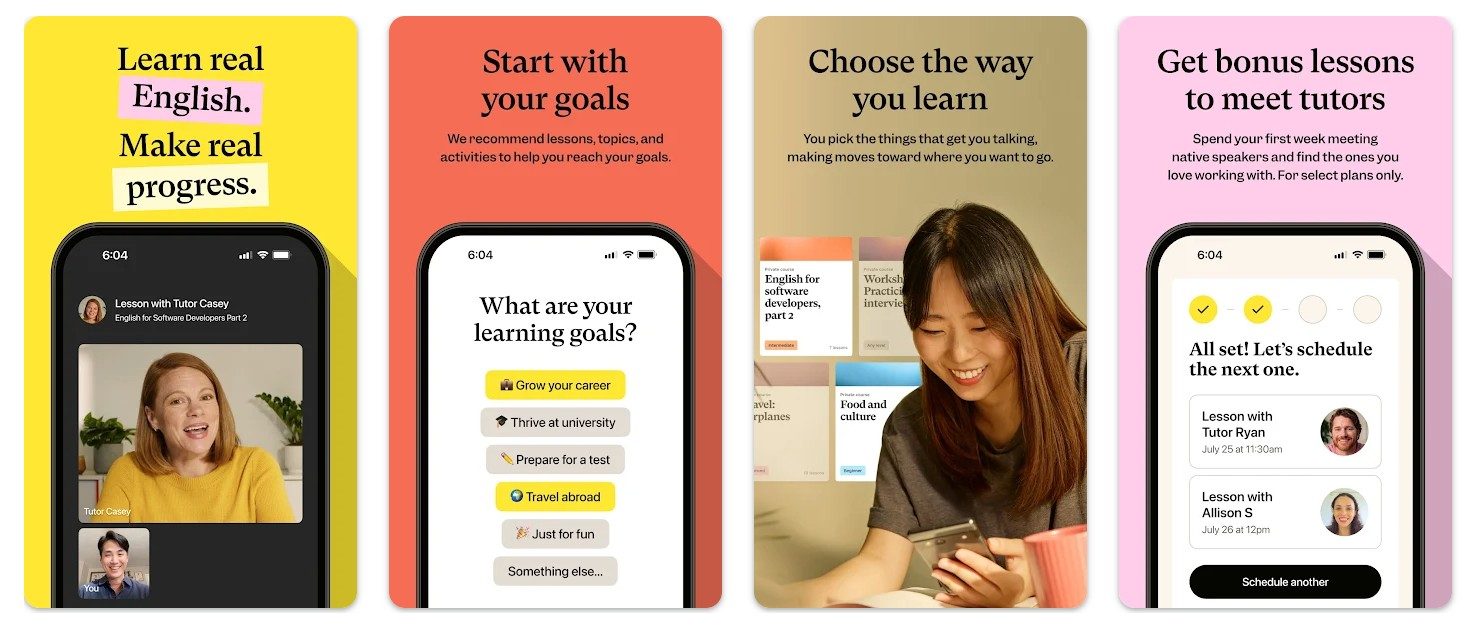
Cambly is an online tutoring service for English conversation with native speakers. Its app promises to help you "learn English through real conversations with native speakers. Anytime, anywhere, any level," and it teaches English only.
The core product is one-to-one video lessons that you schedule with named tutors around your own time. You set a goal, such as growing your career, preparing for a test or traveling abroad, and Cambly recommends lessons and topics to match.
Users also describe recorded lessons they can rewatch, group sessions and reservations with favorite tutors. The same company publishes Cambly Kids and Cambly Go, a separate app for daily speaking practice.
Ideal For
Cambly suits learners who want a real person to talk with.
- Intermediate learners who can already hold a basic conversation
- IELTS candidates practicing the speaking test, a common use among reviewers
- Learners who want to hear different native accents
- Professionals who want conversation practice before real calls
Complete beginners may find a full lesson in English hard at first, and daily lessons add up in cost.
Top Features
Cambly's features revolve around live conversation.
- One-to-one video lessons: Conversations with native-speaker tutors at times you choose
- Goal-based recommendations: Lessons and topics for careers, university, tests, travel and fun
- Recorded lessons: Sessions you can rewatch to review corrections, according to users
- Tutor choice: A personal team of tutors that matches your learning style and interests
The tutor conversation is the heart of the product.
Why It Stands Out
Cambly stands out as one of the smartest choices for easy access to native English speakers. You practice real conversation with a person, which many learners find good preparation for life in an English-speaking country.
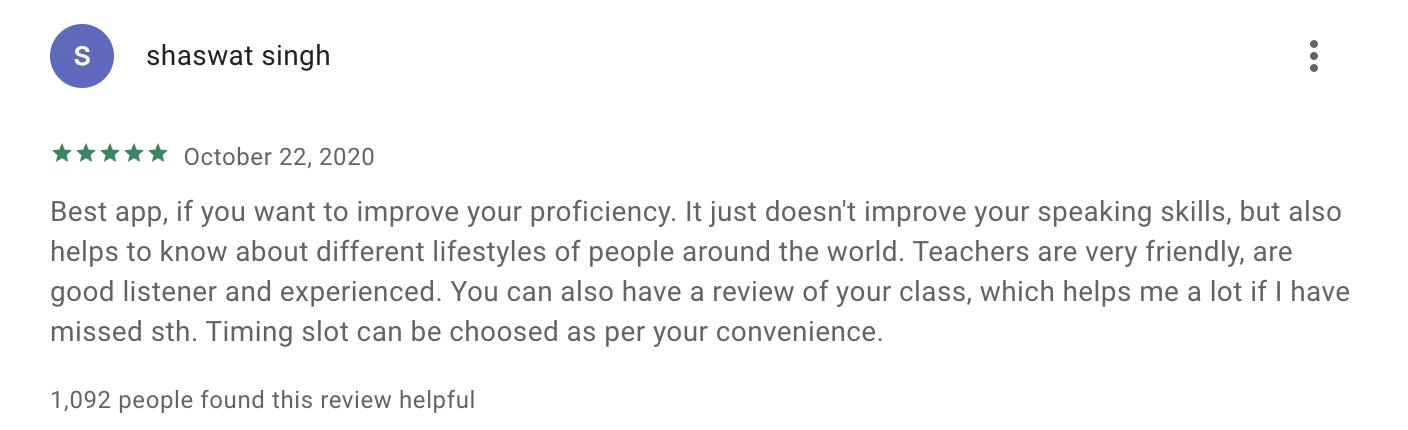
Reviewers also value recorded lessons, which let them replay corrections after the call. Flexible time slots help learners fit lessons around work and family.
Pros
Cambly's strengths come from live conversation.
- Live conversation with native English speakers
- Flexible time slots
- Recorded lessons for review
- Goal-based lesson topics
It's a direct route to talking with real people in English.
Cons
Cambly has limits that matter for daily practice.
- High cost per lesson limits how often most learners can book
- Users report billing, refund and cancellation problems
- Call quality and stability complaints on Android
- The app has fewer tools than the website
- English only, so it won't help with a second language
Your speaking time is also limited to the lessons you book.
Customer Reviews
Cambly holds 4.5 stars on the US App Store (9.3K ratings) and 4.5 stars on Google Play (153K reviews, 10M+ downloads). Users praise its friendly native-speaker tutors, the speaking confidence they gain, IELTS speaking preparation, flexible scheduling and recorded lessons.
The main complaints concern price and price increases, billing and refunds, app stability and call quality, and a short trial.
Final Verdict
Cambly is recommended for learners who already have some English and want to practice conversation with native speakers. It's especially useful before an IELTS speaking test or a big move.
Its cost per lesson and scheduling make daily practice hard to sustain, and complete beginners may struggle in English-only lessons. Many learners get more from daily AI practice with an occasional live lesson on top.
8. Loora
Overview
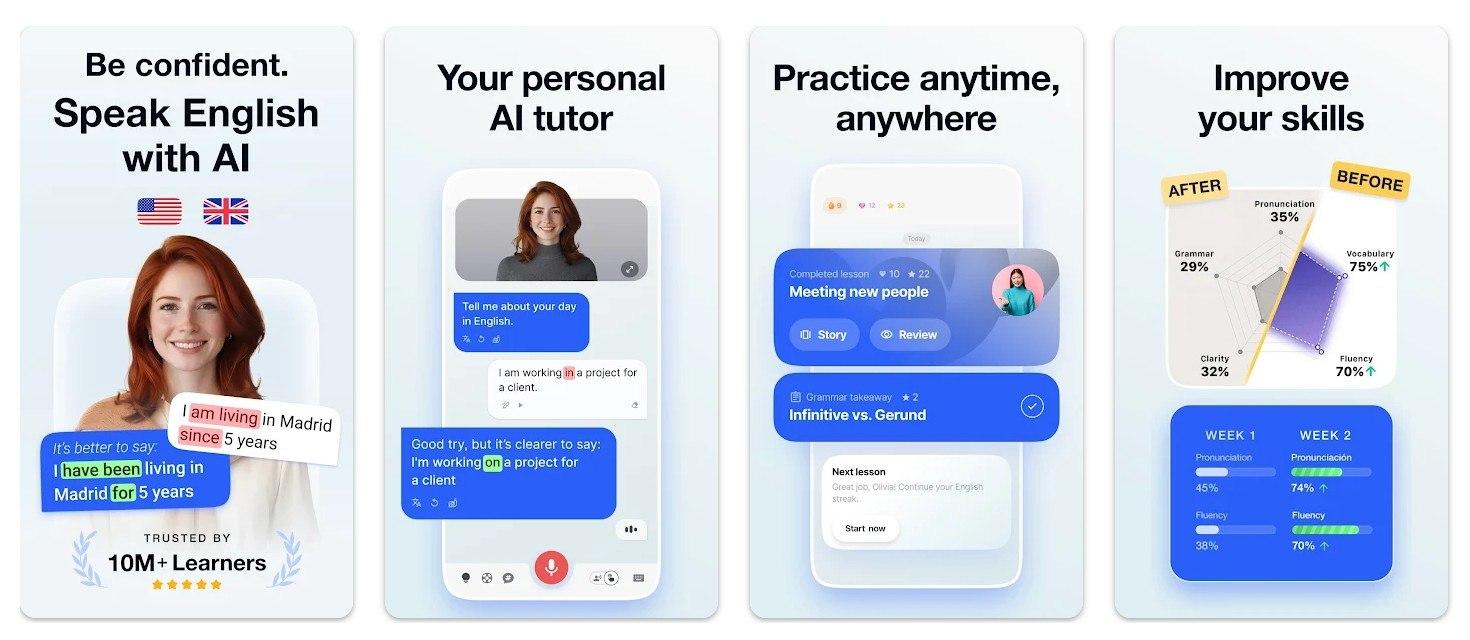
Loora is an English-only AI coach built for conversation practice. Its listing calls it "your personal AI English tutor," available any time for English conversations with real-time feedback on grammar, pronunciation and fluency.
Lessons come in several formats: classic lessons, role-plays such as a job interview or a chat about music, and Read and Talk sessions built around short articles. A weekly skills chart shows how your grammar, vocabulary, pronunciation and fluency change over time.
Loora says it's trusted by more than 10 million learners. US and UK flags on its listing suggest a choice between the two accents.
Ideal For
Loora suits learners who want focused English conversation practice.
- Learners who want to get past the fear of speaking
- Commuters who want a quick daily session
- Job seekers rehearsing interviews
- Beginners and intermediates who want patient, polite corrections
It's English-only, so it won't help if another language is next.
Top Features
Loora's features revolve around conversation and feedback.
- AI English coach: Open conversations at any hour of the day
- Role-plays: Practice job interviews and everyday situations
- Read and Talk: Discuss short articles to build vocabulary
- Real-time feedback: Grammar, pronunciation and fluency corrections as you go
- Skills chart: A weekly view of how each skill is changing
The conversation flow, with corrections during the chat and highlights at the end, is its core.
Why It Stands Out
Loora stands out for how natural its conversations feel. Reviewers say the chats flow like a real exchange, with a summary of highlights at the end.
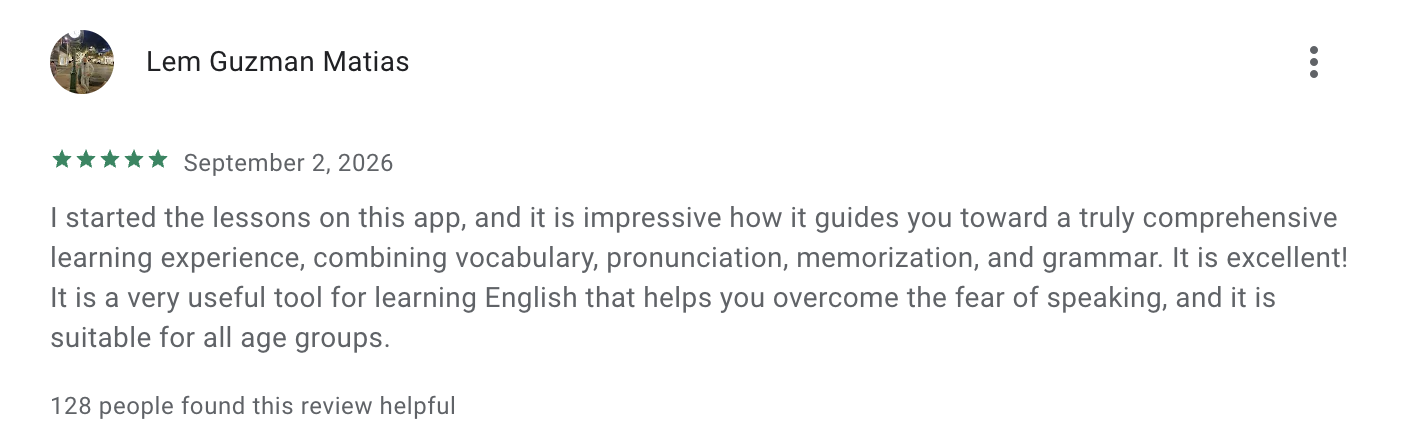
It's also strongly focused on confidence. Many users say it helped them overcome the fear of speaking English, which makes it one of the strongest English-only AI coaches for nervous beginners.
Pros
Loora's strengths are focus and tone.
- Natural, flowing English conversations
- Feedback on grammar, pronunciation and fluency
- Role-plays for interviews and real situations
- A patient, polite tone suited to nervous learners
It's one of the most pleasant English-only AI coaches to practice with.
Cons
Loora has a few recurring limits.
- A short free trial before subscribing
- Some lessons feel basic or generic
- Occasional slowness on the paid version
- No way to replay past lessons, according to some users
Its English-only focus also limits learners with other language goals.
Customer Reviews
Loora holds 4.9 stars on the App Store in Portugal (1.6K ratings) and 4.9 stars on Google Play (358K reviews, 10M+ downloads). Users praise how it builds speaking confidence, its all-round feedback, the natural conversation flow and its patient corrections, and one reviewer does a lesson in traffic every day.
The main complaints concern the short free trial, affordability in some markets, basic lessons and performance issues.
Final Verdict
Loora is recommended for learners who want English-only conversation practice with a natural feel. It's especially good for building confidence in a few minutes a day.
The short trial, basic lessons and English-only focus hold it back. Learners who want a broader study plan and a tutor that remembers their goals will find more elsewhere.
9. Memrise
Overview
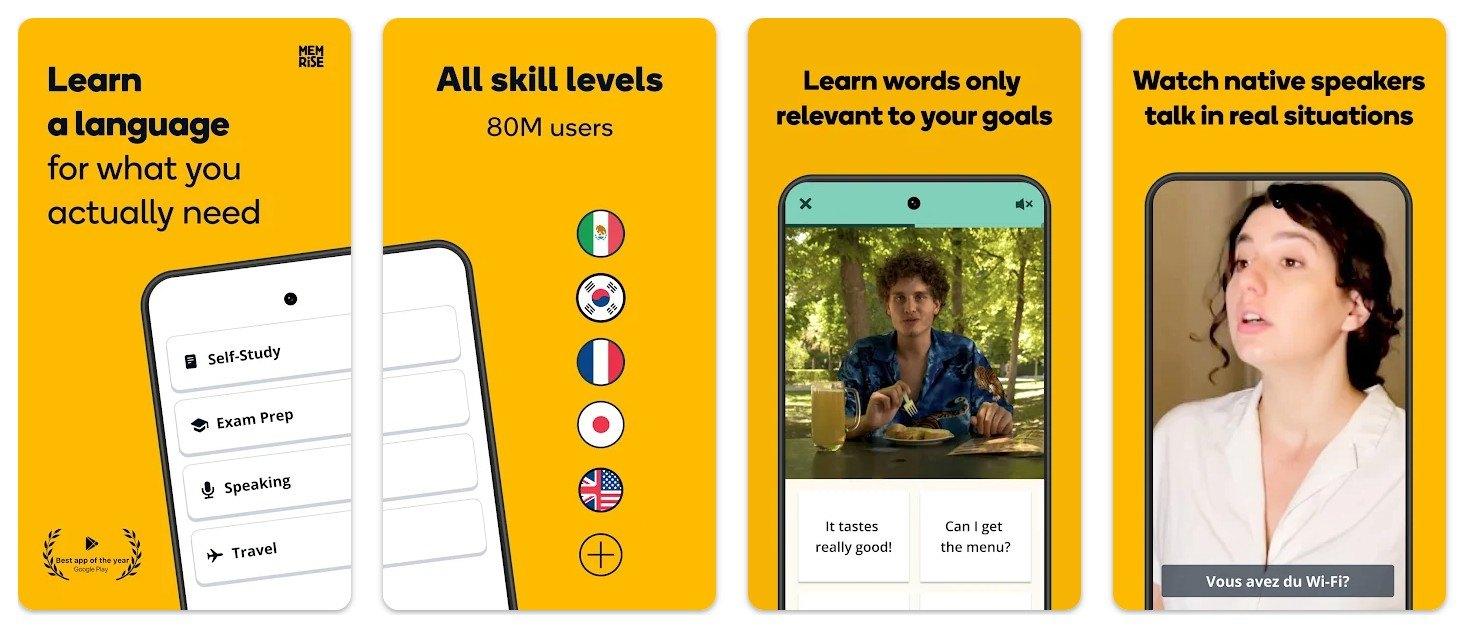
Memrise is a language app that teaches through videos of real native speakers. You watch locals use phrases in everyday situations, which trains your ear for real accents and natural speed.
You start by choosing a goal, such as speaking at work, passing an exam, building relationships or traveling, and Memrise focuses on the vocabulary that matters for it. English is one of its core courses, with podcasts on topics you pick and personalized AI feedback for exams such as IELTS.
Memrise says 80 million learners have used it. Reviewers also mention an AI conversation exercise and a chatbot called Membot.
Ideal For
Memrise suits learners who want authentic English input.
- Learners who want to follow native speakers at natural speed
- Vocabulary builders focused on words for their goal
- IELTS candidates who want AI feedback on practice exams
- Visual learners who like seeing people speak
It's less ideal for learners who want in-depth grammar on a free plan.
Top Features
Memrise's features focus on real-world English.
- Native-speaker videos: Real people and real accents in everyday situations
- Goal tracks: Self-study, exam prep, speaking and travel paths
- AI chatbot: Daily conversation practice
- Topic podcasts: Listening practice on subjects you choose
- Exam practice: Personalized AI feedback for IELTS, GCSE and A-Level
The native-speaker videos remain its signature.
Why It Stands Out
Memrise stands out for putting real people at the center of learning. Seeing and hearing locals helps vocabulary stick and gives you a model for pronunciation.
Reviewers also appreciate that it's less gamified than many rivals, with goals that keep study purposeful. For listening practice, it's one of the smartest picks on this list.
Pros
Memrise's strengths are authenticity and focus.
- Videos of real native speakers
- Goal-based learning paths
- AI conversation practice and podcasts
- A generous free tier
It's one of the strongest apps for training your ear.
Cons
Memrise has frustrated some loyal users recently.
- A redesign removed features long-time users liked
- Community courses moved out of the app
- Grammar explanations require a paid plan
- Reports of bugs and slow support
- Progress stalls at advanced intermediate, according to some reviewers
Its AI conversation tool also trails newer speaking apps, according to reviewers.
Customer Reviews
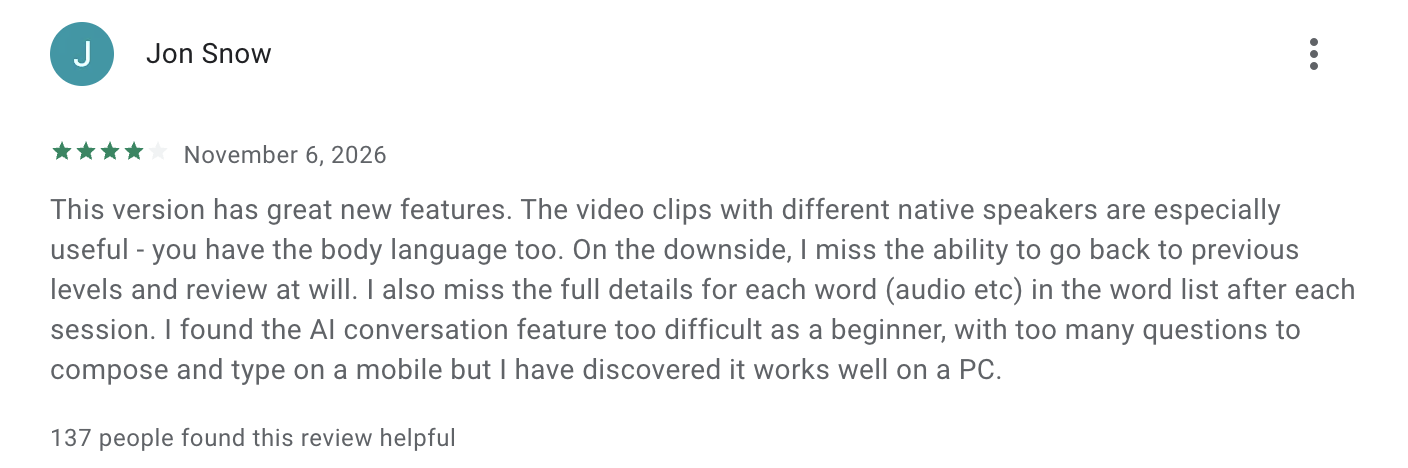
Memrise holds 4.8 stars on the US App Store (217K ratings, Editors' Choice) and 4.6 stars on Google Play (1.57M reviews, 50M+ downloads). Users love the native-speaker videos, the free daily conversation practice and the goal-based scenarios.
Complaints focus on the redesign, the loss of community courses, paywalled grammar and bugs.
Final Verdict
Memrise is recommended for learners who want to build English vocabulary and listening skills with real native speakers. Its goal tracks keep study relevant.
The redesign has divided users, and deeper practice needs a paid plan. Learners who want regular spoken conversation with detailed feedback will need a speaking-focused app too.
10. Rosetta Stone
Overview
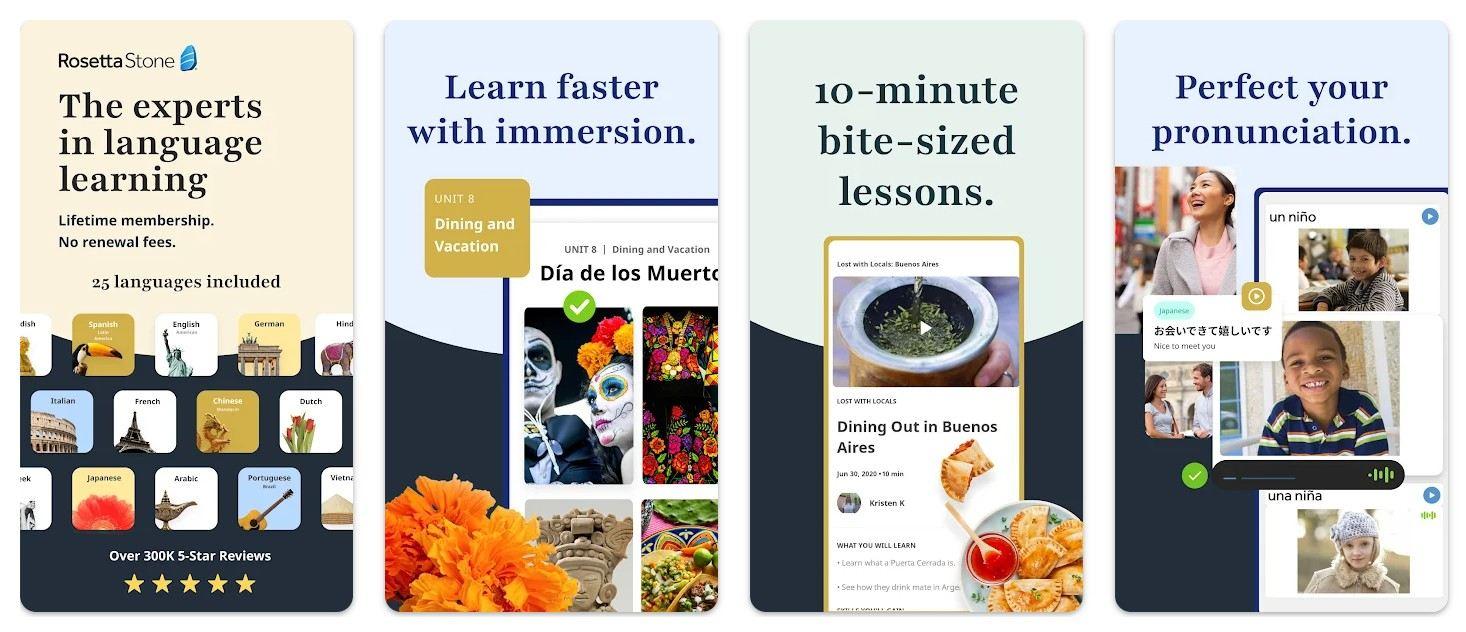
Rosetta Stone pioneered immersion-based language software and has been teaching since 1992. Its method skips translation: you connect English words and sentences to images, the way children learn their first language. The company is now part of IXL Learning.
The app offers 25 languages, with lessons of about 10 minutes, pronunciation practice, a phrasebook and offline downloads. Rosetta Stone Classic now serves existing subscribers and enterprise or education users, while new learners start with Rosetta Stone Sapphire.
For learners who want a calm, ad-free course, it remains one of the most recognizable names.
Ideal For
Rosetta Stone suits learners who enjoy learning through context.
- Visual learners who think in images
- Learners who want total immersion in English
- Offline learners who study on subways or planes
- People who dislike gamified apps
Beginners who need grammar explained in their own language may find it frustrating.
Top Features
Rosetta Stone's features revolve around immersion.
- No-translation lessons: Pictures and English only, so you start thinking in English
- Pronunciation checks: Speech feedback on your spoken answers
- Short lessons: Around 10 minutes each
- Offline mode: Download lessons for a subway ride without signal
- Phrasebook: Useful expressions for daily life and travel
The method pushes you to think in English from the start.
Why It Stands Out
Rosetta Stone stands out for its pure immersion approach. You build direct links between words and meaning, which many learners find memorable.
It's also calm and ad-free. Reviewers often describe it as more thorough than gamified apps.
Pros
Rosetta Stone's strengths come from its method.
- Immersive, translation-free lessons
- Pronunciation practice in every unit
- Offline downloads
- A calm study space with no ads
It's a focused alternative to game-style apps.
Cons
Rosetta Stone's approach doesn't suit everyone.
- No grammar explanations
- Speech recognition often rejects correct answers
- Early vocabulary isn't always practical for daily life
- Confusion during the move from Classic to Sapphire
Learners may end up understanding more English than they can say.
Customer Reviews
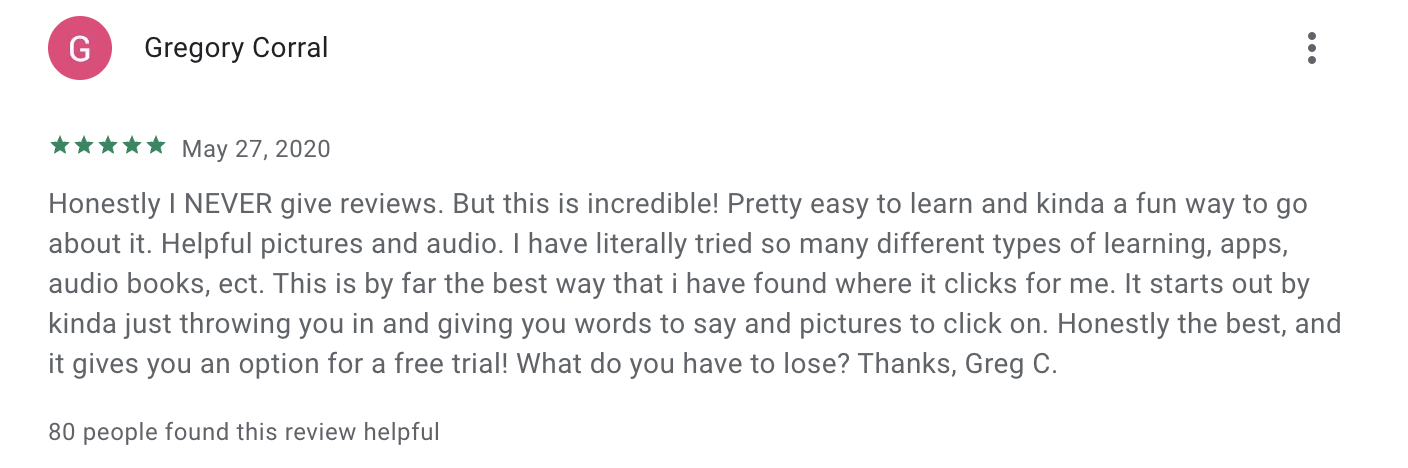
The Rosetta Stone Classic app holds 4.8 stars on the US App Store (239K ratings) and 4.8 stars on Google Play (406K reviews, 10M+ downloads). Users praise its immersion method, pronunciation audio, offline mode and calm, ad-free design.
The main complaints concern speech recognition, the absence of grammar teaching, impractical early vocabulary and access problems for lifetime subscribers moving to the newer app.
Final Verdict
Rosetta Stone is recommended for patient, visual learners who want immersion without distractions. It's especially handy offline.
Without grammar explanations or open conversation, many beginners plateau. Learners who need to handle calls and paperwork in English soon will need more active speaking practice.
What Makes a Good App to Learn English?
The best English language learning apps share a few traits, whatever their teaching style. They focus on outcomes: what you can say and understand after a few weeks of practice.
Use these five criteria to judge any app before you commit to a subscription.
1. Speaking Practice From Day One
Speaking is the skill most newcomers need and the one most apps neglect. A good app gets you saying full English sentences out loud in every session, starting with the situations you face, like ordering coffee or calling a clinic.
Check how much of a typical session is spent talking. If it's a small fraction, the app will build recognition faster than conversation.
2. Corrections in the Moment
An app should tell you what you got wrong and how to fix it. That means corrections on pronunciation, grammar and word choice, with a better way to say it and a short explanation.
Timing matters as much as accuracy. Feedback that arrives while the sentence is still in your head sticks better, and it shouldn't stop the conversation each time.
3. A Tutor That Remembers You
English learners tend to repeat the same mistakes, such as mixing up "make" and "do" or forgetting the -s in "she works." An app with memory notices those patterns and brings them back until they're fixed.
Memory also makes practice personal. When your goals, level and vocabulary carry over, each session picks up where the last one ended.
4. Explanations in Your Native Language
Apps that run entirely in English can overwhelm a learner whose English is still basic. Explanations in Portuguese, Spanish or your own language make the first weeks far less frustrating.
The best approach starts in your language and switches gradually. You keep speaking English from day one without getting lost.
5. Settings and Progress That Keep You Going
Small settings decide whether you're still practicing in month two. Look for a choice of accent, such as American or Scottish English, an adjustable speaking speed and a feedback style that feels encouraging.
Progress should be visible too. CEFR levels from A1 to C2 show whether your English is improving, so pick an app that scores your sessions against them.
How to Choose the Best Apps to Learn English for You
Even among the best English learning apps, the right one depends on why you're learning, when you can practice and how you like to learn. These six factors help you narrow the list fast.
| Factor | What to Check | Why It Matters |
|---|---|---|
| 1. Your English goal | Write down the situations you're preparing for and your deadline, such as a job interview, calls with a landlord, school meetings or an IELTS test. | Speaking goals need conversation practice and feedback above everything else, while a reading goal may suit a grammar-led course. |
| 2. Your current level | Check whether the app places you by level and explains in your native language if you're a beginner. | A learner with basic English can get lost in English-only lessons and quit in the first weeks. |
| 3. Speaking time | Run one full session and count the minutes you spend talking out loud. | Tapping exercises build recognition, and daily life in English asks you to produce sentences on the spot. |
| 4. Feedback quality | Make a deliberate mistake and see whether the app catches it, explains it and offers a better phrasing. | Lenient or vague feedback lets errors settle into habits that are hard to fix later. |
| 5. Accent and settings | Look for a choice of accent, speaking speed and feedback style. | Hearing the accent of the country you live in helps you follow locals, and gentle feedback keeps nervous learners coming back. |
| 6. Your schedule | Check that a lesson works in 10 to 15 minutes, on your phone, with headphones on a commute. | Short sessions on most days beat one long session a week, and an app that fits your commute is the one you'll still open after a month. |
Try two or three apps for a few days each before committing to a long subscription. If AI practice is your priority, our guide to the best AI apps to learn English compares the strongest AI tutors in more depth.
Everything You Need to Know About English Learning Apps
This table pulls the key points of this guide into one place. Use it as a quick reference before you download anything.
| Category | Key Considerations |
|---|---|
| Top 3 Apps | Praktika for speaking confidence with an AI tutor, Duolingo for a first daily habit, and Babbel for grammar-led lessons. |
| Best Overall Option | Praktika, for spoken English conversations with instant corrections, tutors that remember you and explanations in your native language. |
| Why Use an English App | Apps fit practice into short daily sessions, including commutes, and give beginners a judgment-free place to make mistakes. |
| How to Choose | Match the app to your goal and level, then time a real session to see how much you speak and how useful the corrections are. |
| Ease of Getting Started | Easy. Most apps place you by level in a few minutes, and the best ones for beginners explain in your native language. |
| Must-Have Features | Speaking practice, real-time feedback on pronunciation and grammar, memory of your mistakes, a choice of accent and progress tracked in CEFR levels. |
| Mistakes You Shouldn't Make | Choosing by brand alone, chasing streaks over speaking time, skipping native-language support as a beginner and paying for a year before testing the app. |
Most of the best apps to learn English language skills now include some speaking practice, so the difference lies in how much you speak and how good the feedback is. Start with the one that gets you talking, and add a second app only for something specific, like live lessons or exam drills.
Teams can use Praktika too. Praktika for Business covers English plus 13 more languages in one license, and our guide to the best corporate English training compares the options for HR and L&D teams.